
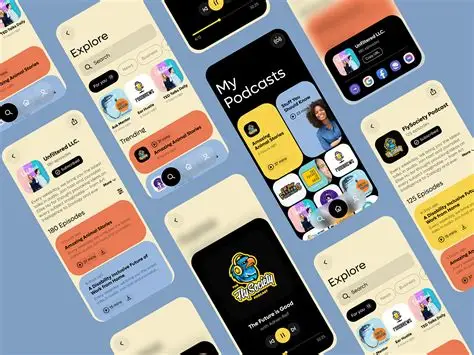
Podcast listening has exploded in popularity over the past decade. Millions of people now enjoy podcasts while commuting, exercising, working, or relaxing at home. With thousands of podcast apps available today, choosing the right one can be overwhelming. Among all these options, Podcast Addict has become one of the most popular podcast apps in the world.
If you are searching for a powerful podcast player that offers flexibility, customization, and access to millions of shows, Podcast Addict might be exactly what you need.
In this complete guide, we’ll explore everything about Podcast Addict — what it is, how it works, its best features, benefits, and why so many podcast fans prefer it over alternatives like Spotify and Apple Podcasts.
What Is Podcast Addict?
Podcast Addict is a popular Android podcast application designed to help users discover, download, manage, and listen to podcasts easily. It offers access to millions of podcasts, radio stations, YouTube channels, and audiobooks all within one platform.
The app was created by developer Xavier Guillemane, and since its launch, it has grown into one of the most downloaded podcast apps on Android devices.
Unlike many basic podcast players, Podcast Addict offers advanced tools that allow users to customize playback settings, automate downloads, and organize their entire podcast library.
Key highlights include:
- Access to over 2 million podcasts
- Advanced playback customization
- Automatic episode downloads
- Podcast discovery tools
- Playlist management
- Offline listening support
These features make it one of the most powerful podcast players available today.
Why Podcast Addict Is So Popular
Podcast Addict stands out from many podcast apps because it focuses on complete control and customization for listeners.
While apps like Spotify prioritize music streaming, Podcast Addict is built specifically for podcast enthusiasts.
Here are some reasons why the app has gained such massive popularity.
Massive Podcast Library
Podcast Addict connects to major podcast directories, including Apple Podcasts Directory, allowing users to access millions of podcast episodes instantly.
Whether you’re interested in:
- Technology podcasts
- Business and entrepreneurship
- Comedy
- True crime
- Education
- News and politics
You’ll find nearly every podcast available.
Highly Customizable Player
One of the biggest advantages of Podcast Addict is its customizable audio player.
Listeners can adjust:
- Playback speed
- Silence skipping
- Volume boost
- Sleep timer
- Audio effects
This level of control helps create a personalized listening experience.
Automatic Episode Downloads
Podcast Addict allows users to automatically download new podcast episodes as soon as they are released.
This means you never miss your favorite shows and can listen offline anytime.
This feature is especially useful for people who listen during:
- Traveling
- Commuting
- Flights
- Areas with poor internet connectivity
Smart Playlist Management
Podcast Addict also provides advanced playlist features.
You can organize episodes based on:
- Priority
- Download status
- Podcast category
- Listening history
This makes managing multiple podcasts extremely easy.
Key Features of Podcast Addict

Let’s take a deeper look at the standout features that make Podcast Addict one of the best podcast apps available.
Podcast Discovery Tools
Finding new podcasts can sometimes be difficult. Podcast Addict simplifies this process with its built-in discovery tools.
Users can explore podcasts by:
- Trending shows
- Top podcasts
- Podcast categories
- Keyword search
This helps listeners discover new shows quickly.
Offline Listening
Podcast Addict allows users to download episodes for offline listening.
This feature is perfect for people who want to listen without consuming mobile data.
Downloaded episodes can be organized automatically in playlists for easy access.
Cloud Backup
Podcast Addict includes a backup feature that saves your:
- Podcast subscriptions
- Playback settings
- Playlist data
This means if you switch devices, you can easily restore your entire podcast library.
Advanced Notification System
Podcast Addict sends notifications when:
- New episodes are released
- Downloads are complete
- Playback queues are updated
Users can customize these notifications according to their preferences.
Podcast Addict vs Other Podcast Apps
To understand the value of Podcast Addict, it’s helpful to compare it with other popular podcast platforms.
Podcast Addict vs Spotify
Spotify is primarily a music streaming platform that also hosts podcasts.
However, Podcast Addict offers more podcast-specific features like:
- Advanced playlist management
- Automatic downloads
- Detailed playback customization
Spotify is great for casual listeners, but Podcast Addict is better for serious podcast fans.
Podcast Addict vs Apple Podcasts
Apple Podcasts is a default podcast player for Apple devices.
While Apple Podcasts is simple and user-friendly, Podcast Addict provides:
- Better customization
- More discovery tools
- Greater control over downloads
This is why many Android users prefer Podcast Addict.
How to Use Podcast Addict
Getting started with Podcast Addict is simple.
Here is a step-by-step guide.
Step 1: Download the App
Install Podcast Addict from the Google Play Store.
The app is free to download and offers optional premium features.
Step 2: Search for Podcasts
Use the search bar to find your favorite podcasts.
You can search by:
- Podcast name
- Host name
- Topic or keyword
Step 3: Subscribe to Podcasts
Once you find a podcast you like, tap the Subscribe button.
This ensures that new episodes automatically appear in your library.
Step 4: Download Episodes
You can either stream episodes online or download them for offline listening.
Downloading episodes helps save mobile data.
Step 5: Customize Playback Settings
Podcast Addict allows you to adjust:
- Playback speed
- Sleep timer
- Audio boost
- Silence skipping
These settings help optimize your listening experience.
Benefits of Using Podcast Addict
There are several reasons why Podcast Addict continues to grow in popularity among podcast listeners.
Perfect for Podcast Enthusiasts
Unlike many apps that treat podcasts as a secondary feature, Podcast Addict is designed specifically for podcast listeners.
This means every feature is optimized for podcasts.
Completely Customizable
Users can customize nearly every aspect of the app, including:
- Player interface
- Download settings
- Notification preferences
- Playlist management
This flexibility makes it stand out from many competitors.
Large Content Variety
Podcast Addict also supports additional content beyond podcasts.
Users can access:
- Audiobooks
- Live radio streams
- YouTube channels
This makes it a versatile media player.
Is Podcast Addict Free?
Yes, Podcast Addict offers a free version that includes most of its core features.
However, the free version displays ads.
Users can purchase the premium version to:
- Remove ads
- Support the developer
- Unlock additional customization features
Even the free version is powerful enough for most podcast listeners.
Tips for Getting the Most Out of Podcast Addict
To maximize your experience with Podcast Addict, consider these helpful tips.
Use Smart Playlists
Create playlists based on:
- Unplayed episodes
- Favorite shows
- Downloaded content
This keeps your listening organized.
Enable Auto Downloads
Turn on automatic downloads for your favorite podcasts so you never miss an episode.
Adjust Playback Speed
Many listeners prefer playback speeds between 1.2x and 1.5x to save time while still understanding the content clearly.
Use the Sleep Timer
The sleep timer automatically stops playback after a set time, which is perfect for bedtime listening.
Common Problems and Solutions
Like any app, Podcast Addict users may occasionally encounter issues.
Here are some common problems and solutions.
Episodes Not Downloading
Solution:
- Checkthe internet connection
- Verify download settings
- Clear app cache
App Crashing
Solution:
- Update the app
- Restart your device
- Reinstall the application
Missing Podcasts
Sometimes, podcasts may temporarily disappear due to feed updates. Refreshing the feed usually resolves the issue.
The Future of Podcast Addict
Podcasting continues to grow rapidly worldwide, and apps like Podcast Addict play a major role in this ecosystem.
Future updates may include:
- Improved AI-based podcast recommendations
- Better search algorithms
- Enhanced podcast analytics
- More integration with smart devices
As podcast consumption continues to rise, Podcast Addict is likely to remain a key platform for listeners.
Final Thoughts
If you are looking for a powerful and flexible podcast app, Podcast Addict is one of the best options available today.
With millions of podcasts, advanced customization features, and powerful download tools, it offers everything a podcast enthusiast could need.
Compared to platforms like Spotify or Apple Podcasts, Podcast Addict focuses entirely on delivering the best podcast listening experience possible.
Whether you are new to podcasts or a long-time listener, Podcast Addict provides the tools and flexibility to make podcast listening simple, enjoyable, and highly customizable.