
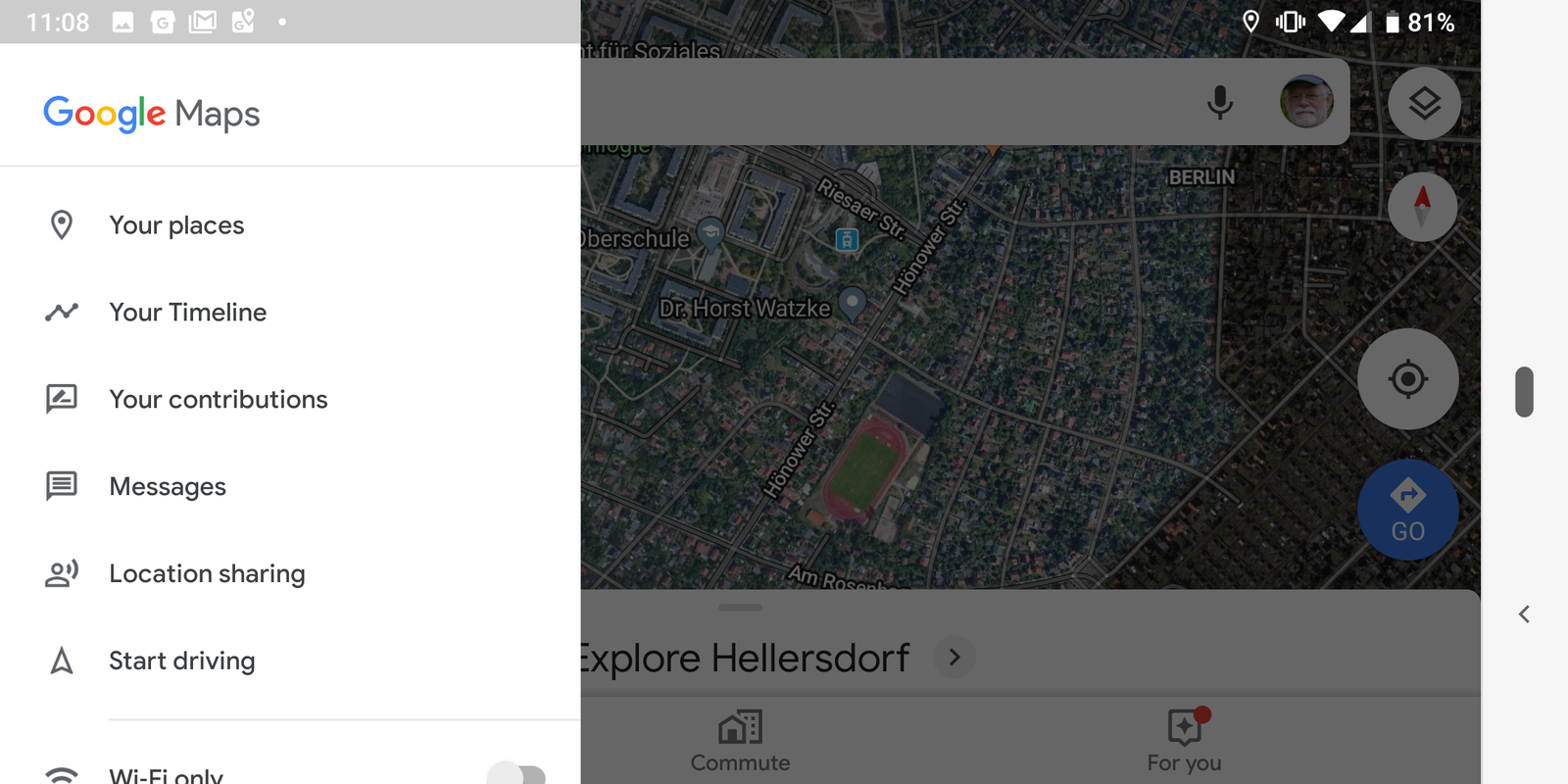
If you’ve recently noticed that Google Maps media controls removed from your navigation screen, you’re not alone. Millions of users—especially Android users—have reported that the ability to control music directly inside Google Maps has suddenly disappeared.
Let’s break it down in simple, real, and useful terms.
🔍 What Does “Google Maps Media Controls Removed” Mean?
Previously, when you used Google Maps for navigation, you could control music directly from the app. This included:
- Play / Pause music
- Skip tracks
- See song details
- Switch between apps like Spotify or YouTube Music
These controls appeared at the bottom of the navigation screen, making driving safer and easier.
However, in recent updates (2025–2026), users noticed that:
- The playback bar disappeared
- The “Show media playback controls” option vanished
- The default media app setting was removed
This issue mainly affected Android users.
📉 Why Were Google Maps Media Controls Removed?
There isn’t just one reason. Based on verified reports, here are the main causes:
1. 🐞 Bug in Recent Updates
Google officially confirmed that the removal was caused by a bug in versions 25.28 and 25.29 of Google Maps.
- Media controls disappeared unexpectedly
- Settings options were also removed
- Google said they are working on a fix
👉 This means the feature was not intentionally removed (at least initially).
2. 🚗 Removal of Driving Mode
Google had already started removing Assistant Driving Mode, which previously handled media and navigation together.
- Driving Mode introduced in 2019
- Gradually reduced in 2024
- Fully phased out by 2025
This change affected media integration inside Maps.
3. ⚙️ UI & System Changes
Google is transitioning toward newer systems (like Gemini AI), and during this shift:
- Some legacy features were removed
- Media integration became inconsistent
- Android and iOS experiences diverged
4. 📱 Platform Difference (Android vs iOS)
- Android → Media controls disappeared
- iOS → Feature mostly still available
This confirms the issue is not fully intentional across all platforms.
⚠️ Is This Permanent?
👉 No (mostly temporary)
- Google confirmed it’s a bug and is fixing it
- In some cases, media controls have already returned
- However, behavior may vary depending on region and app version
✅ How to Get Media Controls on Google Maps (Working Methods)
Now let’s answer the main question:
👉 How to get media controls on Google Maps?
Here are real, working solutions you can try:
🛠️ Method 1: Update Google Maps App
This is the most important step.
Steps:
- Open Google Play Store
- Search Google Maps
- Tap Update
- Restart your phone
👉 New updates often restore missing features.
⚙️ Method 2: Re-enable Media Controls (If Option Exists)
If your version still supports it:
Steps:
- Open Google Maps
- Tap profile icon
- Go to Settings → Navigation settings
- Enable:
- “Show media playback controls”
- Select default media app
👉 Note: This option may be missing in newer versions.
🎵 Method 3: Use Notification Controls (Temporary Fix)
If controls are gone:
- Use phone notification panel
- Control music from Spotify / YouTube Music directly
👉 Not ideal, but works until Google fixes it.
🚗 Method 4: Use Android Auto (Best Alternative)
If your car supports Android Auto:
- Connect your phone
- Use built-in media controls
👉 This replaces the old Google Maps media integration.
📱 Method 5: Try iPhone (iOS Version)
If you have access to an iPhone:
- Google Maps still supports media controls
- Works with Apple Music & Spotify
👉 This confirms feature is still active elsewhere.
🔄 Method 6: Clear Cache & Reinstall App
Sometimes bugs are device-specific.
Steps:
- Go to Settings → Apps → Google Maps
- Tap Storage
- Clear Cache
- Reinstall the app
🔧 Method 7: Wait for Server-Side Fix
Google often fixes features without updates.
👉 If nothing works:
- Wait a few days
- Restart the app regularly
💡 Pro Tips for Better Experience
Even if media controls are missing, you can still improve usability:
- Use voice commands (“Play music”)
- Use Bluetooth car controls
- Keep the music app open in the background
📊 User Reactions & Real Experience
Many users were frustrated because:
- It reduced driving safety
- Required switching apps while driving
- Made navigation less convenient
Some users reported:
“Music controls suddenly gone — very annoying”
Others noticed partial fixes returning in updates.
🔹 External Reference Sources
🧾 Final Conclusion
The issue of Google Maps media controls removed is real—but not permanent.
✔ It started due to a bug
✔ Linked with Driving Mode removal
✔ Google is actively fixing it
✔ Some users already see it returning
👉 Until then, use workarounds like notifications, Android Auto, or updates.