
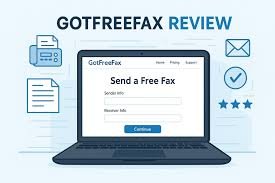
When people search for got free fax, they are usually looking for a fast way to send a fax without buying a machine, paying a monthly subscription, or dealing with a complicated setup. GotFreeFax positions itself as exactly that kind of service: a simple online fax option for U.S. and Canadian sending, a free tier with no ads added to the fax itself, and paid options for higher page limits or international sending. On its current homepage, the service says the free plan includes a free fax cover page, no ads on the fax, a maximum of 3 pages per fax, and a limit of 2 free faxes per day.
Got Free Fax: Is GotFreeFax.com Really Worth Using?
In this review, the most important question is not whether GotFreeFax exists, but whether it still makes sense in 2026 for real users who only need occasional faxing. Based on the official site, the platform is built for lightweight sending rather than full business fax management. It supports free outgoing faxing, premium pay-per-fax sending, prepaid page credits that never expire, and even a separate incoming fax option for people who occasionally need to receive non-sensitive faxes. That makes it more flexible than a basic “free fax” tool, but it also makes the service feel intentionally narrow: it is best when you want to send a few pages quickly, not when you need a full office fax system.
What stands out immediately is the company’s no-nonsense approach. The official comparison page says Got Free Fax offers free faxing without ads on the fax itself, and that users can send documents through a rich text editor or by uploading files such as PDF or Word documents. The homepage also shows support for PDF, DOC, and JPG uploads, plus up to 10 uploaded files per fax and a total upload size of 40 MB. Those details matter because they tell you the service is not just “free” in name; it is trying to be practical for everyday documents while keeping the workflow fairly simple.
One of the biggest strengths of GotFreeFax is that it does not put branding or advertising on the fax pages themselves. The FAQ says the free service is supported by ads on the website and in the confirmation email, but not on the fax document. That is a big difference for users who are sending resumes, forms, medical paperwork, or government documents and do not want a promotional cover sheet attached to the pages they transmit. In my assessment, that clean output is one of the clearest reasons the service continues to attract loyal users.
The free service is also more structured than many people expect. According to the FAQ, sending a free fax is a two-step process: you submit the fax first, then confirm delivery through a link in the confirmation email. GotFreeFax says uploaded fax files are kept for 5 days and then automatically deleted, because users can confirm their fax within that period. That is useful to know for planning, especially if you are not ready to send immediately. It also shows that the platform is designed with a delay-based workflow rather than instant one-click transmission.
How the Free Plan Works in Real Life
The free tier is straightforward, but it is not unlimited. The company says free faxing is available for U.S. and Canada destinations, and the free plan allows up to 3 pages per fax and up to 2 free faxes per day. For light personal use, that is enough for many common tasks such as sending a signed form, a small application, or a single-page letter with a cover sheet. For anything longer, the service pushes users toward its premium pay-per-fax or prepaid credit options.
That limitation is important because it shapes the entire user experience. GotFreeFax is not trying to be the cheapest option for high-volume faxing. It is trying to be the easiest free option for occasional senders. The free plan fits people who need a fax once in a while and do not want a subscription hanging over them. If your faxing needs are sporadic, the daily cap may be enough to solve the problem without any cost at all. If your documents are longer, you may still stay within the ecosystem by paying only for the extra pages you need.
The sending interface is also practical for people who dislike old-fashioned fax tools. The homepage shows sender and receiver fields, fax content options, file uploads, and an option to write with AI directly inside the fax editor. It also includes a “No-Ad Free Cover Page” option. That combination suggests the service is trying to meet modern expectations while still keeping the fax workflow familiar enough for traditional office documents. In other words, the tool is old-school in purpose but modern enough in execution to be useful.
For users who only care about sending and not receiving, the free plan is the main attraction. The official FAQ makes a clear distinction between free outgoing faxing and full-featured incoming fax solutions. If you need a robust incoming fax number for email or online receipt, GotFreeFax recommends partner services instead, while noting that an occasional free fax number is available for non-sensitive faxes. That makes the service honest about its limits, which is a positive sign in a market full of vague “free trial” offers.
GotFreeFax Pricing: Free, Pay-Per-Fax, and Prepaid Credits
Pricing is where GotFreeFax becomes especially interesting. The company offers a free tier, a premium pay-per-fax service, and a prepaid credit system. On the homepage, the premium pay-per-fax tier is described as allowing one document up to 30 pages, with priority delivery, a free fax cover page, no ads, secure payment via PayPal, encrypted connection, and technical support. That is a useful upgrade path for people who only occasionally exceed the free limit and do not want a subscription.
The prepaid credit system is equally simple. The official purchase page lists U.S./Canada page credits of 100 pages for $9.95, 250 pages for $19.95, and 800 pages for $49.95. It also lists international fax credits of $49.95, $99.95, and $199.95. Because the credits never expire and there is no monthly fee, this option is particularly attractive for occasional users who want cost control without recurring charges.
For international faxing, the service uses a separate model. The U.S. send page shows pay-per-use international faxing with faxing to the USA at $0.195 per page, while the Pakistan page lists faxing to Pakistan at $0.900 per page and says the prepaid international service can send to 200+ countries. The key point is that GotFreeFax is not just a U.S. domestic free fax site; it has a structured international product line too. That matters for users who occasionally need cross-border faxing and want to avoid monthly commitments.
From an SEO and user-intent perspective, this pricing structure is smart because it matches search behavior. People typing got free fax often want a free workaround, but some of them are willing to pay a small fee if the document is too large or the fax is more urgent. GotFreeFax’s mix of free, pay-per-use, and prepaid pricing covers those three intent levels well. In my assessment, this is one of the reasons the brand has managed to stay relevant for such a long time.
Features That Make the Service Stand Out
GotFreeFax offers more than the bare minimum. The homepage lists support for PDF, DOC, and JPG file uploads, a maximum total upload size of 40 MB, and up to 10 upload files per fax. It also supports a “fax broadcasting” feature on the prepaid side, which is valuable for users sending the same document to multiple recipients. Those details show that the platform is built for real document handling rather than just simple text-only faxing.
Another useful feature is the company’s approach to cover pages. The free service includes a free fax cover page, but the FAQ makes clear that ads are not added to the fax itself. That is a strong advantage for anyone sending professional documents. A cover page that is clean and useful feels a lot better than one cluttered with brand promotions, and that difference can matter when a fax is being sent to a hospital, legal office, lender, or government department.
The service also emphasizes secure transmission on its paid tiers. The homepage and international send pages mention encrypted connections, secure PayPal payments, and technical support. While that does not magically make faxing the same as a fully modern encrypted document system, it does show that the company is trying to provide a more trustworthy paid workflow for users who need extra protection or priority handling. That is a meaningful upgrade over many completely ad-supported “free fax” sites.
The incoming fax story is more mixed, but still useful. On the homepage, GotFreeFax says that if you need a full-featured incoming fax number to receive faxes in email or online, it recommends other services such as FaxAge and RingCentral Fax. It also mentions a free fax number for receiving occasional non-sensitive faxes. That tells us the company is being selective about where its own product ends and where partner services are a better fit. In a review, that honesty should count as a positive.
What the Reviews Say About GotFreeFax
User sentiment on the official testimonials page is generally positive, and the themes are very consistent: simple, straightforward, easy to use, and free of ads. Several testimonials describe the service as reliable for infrequent faxing, useful for seniors or people who do not have a fax machine at home, and helpful when a fax is needed quickly. While testimonials are obviously curated by the company, they still provide insight into the kinds of users who find the service valuable.
The broader third-party signal is more limited. On Trustpilot, the GotFreeFax profile shows a TrustScore of 3.2 out of 5 based on 7 reviews. That is a small sample size, so it should not be treated like a definitive market verdict, but it does indicate that user experiences are mixed rather than universally glowing. For a niche utility service, that is not unusual. It simply means prospective users should judge the service by fit and function, not by hype.
The interesting part is that the official testimonials and the public review profile point in different but complementary directions. The official site strongly highlights simplicity and low cost, while the Trustpilot page shows that only a small number of people have publicly reviewed the service there. In practice, that means the most trustworthy conclusion is a cautious one: GotFreeFax appears to satisfy many occasional users, but it is not a heavily reviewed mainstream platform like a major consumer subscription brand.
In my assessment, that is actually what you would expect from a utility that solves a narrow need. Most people only think about faxing when they urgently need it. They do not browse fax services every week. That means the value of GotFreeFax comes from whether it works well for a one-time or occasional task, not from building a giant fan base. The testimonials suggest it does; the Trustpilot sample suggests there is room for improvement or at least more consistent public visibility.
Pros and Cons of GotFreeFax
The biggest advantage of GotFreeFax is the combination of free sending and no ads on the fax pages. That is a rare mix and one that directly answers the frustration many users have with free fax tools that place large brand ads on the cover sheet. The second major advantage is pricing flexibility: the free tier, one-time pay-per-fax option, and prepaid page credits make it possible to pay only when needed. The third is simplicity, because the platform appears designed for quick document sending rather than unnecessary complexity.
The main limitation is that the free plan is small by design. Three pages per fax and two free faxes per day is generous enough for light use, but not enough for big jobs. Another limitation is that the service is not a full incoming fax solution. If your work depends on receiving a lot of faxes in a dedicated inbox, GotFreeFax itself points you to other providers. That makes sense, but it also means the site is best viewed as a sending tool first and foremost.
A third drawback is that the free workflow includes email confirmation, which adds a step between preparing the fax and sending it. Some users will appreciate the extra confirmation, but others will want a faster one-click process. The site is still easy to use, but it is not the kind of frictionless “tap and send” experience that modern messaging apps have trained people to expect. That is not necessarily bad; it just reflects the reality of online faxing.
Overall, the pros clearly outweigh the cons for the right user. If you need occasional faxing, do not want ads on your document, and prefer paying only when you go over the free limit, GotFreeFax offers a compelling middle ground. If you need unlimited faxing, a dedicated number, or regular incoming fax management, the service is not built for that use case. That balance is what makes the review fair and practical.
Who Should Use GotFreeFax?
GotFreeFax is a strong match for people who fax rarely but still need a reliable option when the moment comes. That includes freelancers sending signed paperwork, job seekers sending resumes or forms, students submitting documents, people dealing with health or insurance paperwork, and anyone who occasionally needs a clean fax without buying hardware. The official testimonials repeatedly echo that kind of use case: infrequent, practical, and often urgent.
It is also a smart choice for users who care about presentation. Since the service does not add ads to the fax itself, the transmitted document looks more professional. That can matter a lot when faxing to offices that still expect formal paperwork. A clean document can feel more trustworthy than one with obvious branding, especially if you are sending forms that need to appear complete and neat.
GotFreeFax also suits budget-conscious users who dislike subscriptions. Many online fax services look cheap at first but become expensive because they charge monthly fees. GotFreeFax avoids that trap by offering free sending for small jobs and prepaid credits that never expire. That means your money goes toward actual pages, not recurring inactivity. For many people, that alone makes the service worth bookmarking.
On the other hand, it is not the best fit for businesses that need high-volume faxing, shared inboxes, or a dedicated inbound number with full office workflow tools. The company itself signals this by recommending partner services for more advanced incoming fax needs. So the best way to think about GotFreeFax is as a lightweight utility, not a full communications platform.
How to Get the Best Results from GotFreeFax
The best way to use GotFreeFax is to keep your document short, clean, and ready before you begin. Because the free plan only allows 3 pages per fax, it pays to combine unnecessary pages, remove filler content, and make sure your file is correctly formatted before uploading. Since the service supports PDF, DOC, and JPG uploads, you can choose the file type that is easiest for your workflow, but PDF is often the safest choice for preserving layout.
It is also wise to check the destination carefully. The homepage is focused on U.S. and Canada for free sending, while the international send pages use different pricing and destination rules. If you accidentally prepare a domestic fax for an international destination, the process may not work the way you expect. Double-checking the country format before submission can save time, especially if you are faxing something important.
Another smart move is to pay attention to the confirmation email. Since the free service requires a two-step confirmation, that email is part of the actual sending workflow, not a minor notification. Missing it could delay delivery. For urgent documents, it is better to stay near your inbox until the fax is confirmed and transmitted. That tiny habit can prevent a lot of frustration.
Finally, keep in mind that the site’s strength is simplicity. You do not need to overcomplicate the process. Prepare the file, confirm the destination, complete the email verification, and let the system do the rest. That is why the service works for so many people: it is intentionally not trying to be everything at once.
Final Verdict on Got Free Fax
After looking at the current official information and the available public reviews, the conclusion is pretty clear. GotFreeFax is a legitimate, well-defined online fax service that does exactly what it says it does: it lets you send a small number of free faxes online, without putting ads on the fax itself, and it gives you paid options when you need more pages or international delivery. The free plan is limited, but the limits are transparent, and the paid options are structured in a way that avoids monthly subscription pressure.
The service is especially appealing for occasional users who want a professional-looking fax at minimal or zero cost. Its no-ad fax output, page-based pricing, prepaid credits that never expire, and support for common file types make it practical rather than flashy. The public review sample is small and mixed, but the official testimonials suggest a long history of satisfied users who appreciate the same things most casual fax senders care about: speed, simplicity, and a low cost of entry.
If your goal is to send a fax online quickly without committing to a monthly plan, GotFreeFax deserves a serious look. If your goal is full-fledged incoming fax management, then the service itself points you toward more suitable options. That honesty is part of its appeal. It knows what it is, it knows what it is not, and that clarity is refreshing.
For readers searching for got free fax, the best takeaway is simple: this is one of the more useful no-frills faxing tools still available online. It is not perfect, and it is not designed for heavy enterprise use, but for everyday sending it is effective, affordable, and refreshingly straightforward. If you need a quick fax today, the cleanest move is to try the free tier first and only upgrade if your page count demands it.