
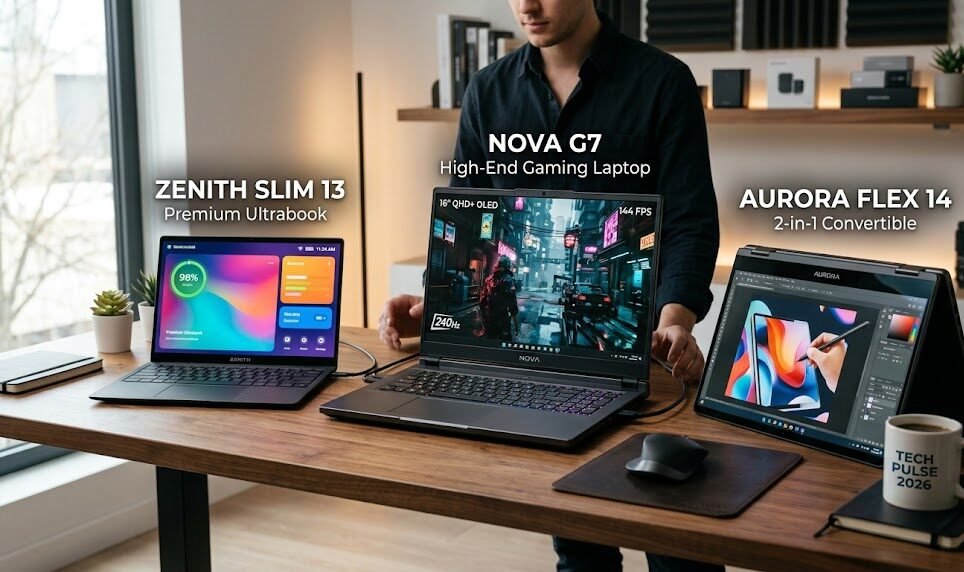
Choosing the right laptop in 2026 is harder than ever because the market finally has real options for almost every kind of buyer. The best models are no longer just fast or pretty; they also need to balance battery life, portability, keyboard comfort, display quality, webcam performance, repairability, and value. That is why the current shortlist looks so different from older “best laptop” roundups. Today’s standout machines include the MacBook Air M5, the Surface Laptop 7th Edition, the Dell XPS 14, the Framework Laptop 13, the Asus ROG Zephyrus G14, and several highly specialized picks for creators, students, gamers, and Chromebook users.
Reviewers at Tom’s Guide, The Verge, Wired, and manufacturers like Apple, Microsoft, Dell, Acer, and Lenovo all point to the same broad trend: a good laptop in 2026 is not just about raw specs, but about how well the whole package fits real life.
Best laptops 2025: the models that still dominate in May 2026
Even though many readers search for the phrase “best laptops 2025,” the laptops worth buying in May 2026 are the ones that still win in daily use right now. The newest reviews show a clear pattern: Apple’s MacBook Air M5 is the most broadly recommended laptop for most people, Microsoft’s Surface Laptop 7th Edition is the closest Windows alternative, Dell’s XPS 14 remains a premium Windows favorite, and gaming or creator buyers now have stronger specialized choices than ever. For people who care about sustainability and upgrades, Framework continues to set the standard.
For shoppers on tighter budgets, Lenovo’s IdeaPad Slim 3x is a standout because it stretches battery life and everyday performance without blowing up the price. In other words, the best laptops 2025-style search intent still makes sense in 2026, but the real winners are the models that combine modern design with tested endurance and dependable performance.
The good news is that you do not need to be a tech expert to choose well. The right laptop becomes obvious once you know what kind of work you do most often. If you spend your day in documents, browser tabs, video calls, and light editing, a thin ultrabook with strong battery life is ideal. If you create video, design assets, or run heavy software, you should prioritize cooling, display quality, and a stronger GPU.
If you game, you need more than just speed; you also need a display that can keep up and a chassis that does not feel like a portable space heater. And if you want a machine that can last for years through repairs and upgrades, a modular laptop changes the entire ownership experience. The most useful laptop reviews in 2026 are not just benchmark dumps; they are use-case guides that match devices to the way people actually work.
Apple’s MacBook Air M5 is the easiest laptop to recommend for most people because it keeps hitting the sweet spot between speed, battery life, and portability. Apple says the new MacBook Air with M5 includes a 10-core CPU, up to a 10-core GPU, Neural Accelerators, and up to 18 hours of battery life, while still staying thin, light, and available in 13-inch and 15-inch sizes.
Tom’s Guide currently ranks the MacBook Air M5 as the best overall laptop in 2026, and The Verge also places it at the top of its broad laptop recommendations. That combination matters because it shows the Air is not just a nice-looking Mac; it is the machine most likely to satisfy a huge portion of buyers without forcing them into bigger, heavier, or more expensive alternatives.
What makes the MacBook Air M5 especially persuasive is that it does not need to be a “pro” laptop to feel premium. It offers a bright Liquid Retina display, Apple Intelligence support, and modern wireless features like Wi-Fi 7 and Bluetooth 6 through Apple’s N1 wireless chip, all while staying focused on everyday usefulness. That matters for students, remote workers, and business users who want a machine they can carry all day and trust for long stretches away from a charger.
Tom’s Guide’s battery testing also places the MacBook Air M5 among the strongest everyday performers, and The Verge’s recent coverage describes it as a mid-tier laptop that is especially easy to recommend unless your work requires intensive 3D modeling or gaming. If you want one laptop that can comfortably cover most needs, this is still the safest bet.
For Windows buyers, the Surface Laptop 7th Edition is the strongest mainstream alternative to Apple’s thin-and-light formula. Microsoft positions it as a Copilot+ PC with touchscreen support, 13.8-inch and 15-inch options, removable SSD storage, and all-day battery life, while the company’s product pages list up to 20 hours on the 13.8-inch model and up to 22 hours on the 15-inch model in local video playback testing. Tom’s Guide and Wired both treat it as one of the top Windows laptop choices of 2026. The appeal is obvious: it feels modern, polished, and easy to live with, and it gives Windows users the kind of premium experience that used to be much harder to find outside the Mac ecosystem.
The Surface Laptop 7th Edition also stands out because its display and aspect ratio work so well for productivity. Microsoft’s own materials highlight the 3:2 touchscreen format, which is naturally better for documents, web work, and multitasking than many wider screens, and the device remains unusually elegant for a Windows machine. Wired specifically notes that the Surface Laptop’s screen is a major advantage, pointing to its touch support, 120Hz refresh rate, and taller panel as key reasons it feels superior in everyday use. For users who want a laptop that looks refined, feels fast, and still runs the software ecosystem they already depend on, the Surface Laptop 7th Edition is one of the smartest purchases available right now.
Dell’s XPS 14 continues to be the Windows laptop people think of when they want something premium, future-facing, and quietly powerful. Dell describes XPS as its definitive premium consumer PC line, focused on portability, battery life, and modern design, and its 2026 XPS lineup is framed as a major generational step forward. Tom’s Guide currently names the Dell XPS 14 the best Windows laptop overall and cites both its strong in-house testing and its battery endurance as major reasons for the recommendation. That makes it a top choice for anyone who wants more polish than a standard business laptop and more practicality than many flashy ultrabooks deliver.
What makes the XPS 14 compelling is not just performance. It is the total experience: the display, the chassis quality, the modern feel, and the kind of battery life that makes it genuinely useful for long workdays. Tom’s Guide’s battery roundup places the Dell XPS 14 among the strongest laptops for battery life in 2026, with more than 20 hours in its standardized testing. That is a huge deal for travelers, consultants, and students who cannot always live beside a wall outlet. If you want a Windows laptop that feels like a premium statement without becoming a novelty device, the XPS 14 remains one of the best-balanced choices in the market.
For creative professionals and power users who care about battery life, the MacBook Pro 16-inch with M5 Pro is one of the most impressive machines on the market. Tom’s Guide’s battery testing places it at the top of the entire category with more than 21 hours of runtime, which is exceptional for a high-performance laptop. That kind of endurance matters because a creator’s laptop is not only a rendering machine; it is also a travel companion, an editing desk, and often a full-time work device. When a laptop can deliver elite battery life while still handling demanding creative workloads, it becomes much easier to justify the premium.
The MacBook Pro line remains the obvious choice when your work involves heavy photo editing, video editing, music production, or other sustained workloads that benefit from more thermal headroom than an Air can offer. Even though the Air gets most of the mainstream attention, the Pro remains the more sensible purchase for people who need to stay fast under pressure instead of just feeling snappy in everyday use.
Apple’s broader 2026 MacBook Air and MacBook Pro ecosystem also shows how much the company has leaned into AI-capable workflows and modern chip design across its laptop range, which makes the Pro especially attractive for professionals who want a machine that can stay relevant for several years. For buyers who want the safest long-term creator laptop, this is still one of the strongest names to consider.
The Asus ROG Zephyrus G14 remains one of the best gaming laptops because it avoids the usual trap of being either too heavy or too flashy. Tom’s Guide lists it as the best gaming laptop in 2026, and The Verge’s recent review of the 2026 Intel-based Zephyrus G14 calls it a very good all-around machine for work and gaming, with a battery that can last around 10 hours under light use, plus a great keyboard, screen, speakers, and trackpad. That is exactly why the G14 has such a loyal following. It does not look or feel like a hulking gaming brick, yet it still delivers the kind of performance gamers expect.
The Zephyrus G14 is also one of the rare gaming laptops that makes sense for non-gamers who still need GPU power. A student studying animation, a creator editing 4K footage, or a professional who occasionally wants to unwind with modern games can all get value from it. The real advantage is versatility: you do not have to accept a terrible keyboard, short battery life, or a cheap plastic feel just because the laptop has a powerful GPU. If gaming matters to you, but you still want a laptop that can pass as a serious everyday machine, the Zephyrus G14 remains a top-tier answer.
Framework continues to dominate the conversation around repairable and upgradeable laptops, and that alone makes the Framework Laptop 13 one of the most important machines in the market. The Verge says there is no better laptop for a tinkerer than the user-repairable, user-upgradeable Framework Laptop 13, and Tom’s Guide calls Framework a remarkable example of what more laptop makers should be doing. This matters far beyond niche hobbyist appeal. It means the user can replace parts, extend the machine’s lifespan, and adapt the laptop over time instead of throwing it away when one component ages out. In a market where many devices are sealed and increasingly disposable, that is a genuine advantage.
Framework’s 2026 momentum also shows that repairability does not have to feel like a compromise forever. The company’s new Framework Laptop Pro 13 was introduced in April 2026, and both The Verge and Tom’s Guide described it as a redesign that pushes the brand closer to a top-of-the-line experience while keeping its upgrade-friendly philosophy intact. That does not erase the tradeoffs Framework still faces, such as battery-life concerns and the challenge of matching the polished feel of the most expensive mainstream rivals, but it does prove the category is evolving. For buyers who value ownership, longevity, and freedom to repair, Framework is not just a product line; it is a different way of thinking about laptops.
If your budget is tighter, the Lenovo IdeaPad Slim 3x is one of the most compelling value laptops available right now. Lenovo’s own product page describes it as a durable laptop with a vibrant display, a 45 TOPS NPU, and smart computing features, while Tom’s Guide’s budget roundup says it is the best budget laptop because it combines more than 16 hours of battery life with a sleek design and a strong keyboard at a wallet-friendly price. That combination is rare. Budget laptops often force buyers to choose between cheap construction, poor battery life, and frustrating performance, but the IdeaPad Slim 3x gets far more right than wrong.
The reason the IdeaPad Slim 3x matters is that it makes a practical laptop feel attainable again. For students, casual office users, and families who need a dependable machine for browsing, video calls, documents, and streaming, it checks the boxes that matter most without pretending to be a premium ultrabook. Tom’s Guide specifically highlights that it delivers over 16 hours of battery life in a 15-inch laptop, which is a big deal when you are trying to keep costs down but still want a computer that will last through the day. This is the kind of laptop that makes value feel like a feature rather than a sacrifice.
Chromebook shoppers should take a serious look at the Acer Chromebook Plus Spin 514 because it proves that ChromeOS laptops can be both useful and genuinely premium. Acer says the latest Chromebook Plus Spin 514 is a 2-in-1 convertible with a 2.8K WQXGA+ touch display, stylus support, fast connectivity, and up to 17 hours of battery life, while Tom’s Guide names it the best Chromebook and even says it is one of the best 2-in-1 laptops you can buy. That is a strong endorsement for buyers who live in Google Workspace, stream a lot, or need a low-maintenance laptop that still feels polished.
What makes the Acer Chromebook Plus Spin 514 especially attractive is that it avoids the stereotype of Chromebooks being stripped-down or fragile. The design is convertible, the display is sharp, and the battery life is strong enough to keep it useful away from a charger. For students, teachers, and productivity users who spend most of their time in the browser, this is one of the clearest value propositions in the entire laptop market. If your workflow already lives in Google’s ecosystem, there is a lot to love here, and very little to complain about.
For people who want a laptop that feels truly futuristic, the Asus Zenbook Duo 2026 is one of the most interesting choices on the market. Tom’s Guide currently calls it the best 2-in-1 laptop and highlights its dual 14-inch 3K OLED screens along with a powerful Intel Core Ultra X9 chip. That makes it far more than a novelty. The dual-display design is genuinely useful for multitasking, content creation, and workflow-heavy tasks where switching between windows becomes a productivity drain. Instead of making you manage your space carefully, the Zenbook Duo gives you more room to work with from the start.
A machine like the Zenbook Duo is not for everyone, but it is perfect for the right buyer. If you are constantly juggling research tabs, design tools, writing apps, spreadsheets, or editing timelines, the extra screen can feel like a superpower. Tom’s Guide’s 2026 coverage shows that dual-screen laptops have matured enough to be considered mainstream rather than experimental, and that is a sign that this style of laptop now has a real audience. For power users who want something different without sacrificing serious performance, the Zenbook Duo is a bold and legitimate pick.
Another premium option worth mentioning is the Lenovo Yoga Pro 7i Gen 11 Aura Edition, which Tom’s Guide recently described as nearly the perfect MacBook alternative for creative professionals. The review highlights its robust design, excellent keyboard, Intel Core Ultra 9 processor, Nvidia GeForce RTX 5060 graphics, and a vivid 15-inch OLED touchscreen with excellent color accuracy.
That makes it a strong match for creators who want Windows, strong visuals, and a capable GPU in one package. Its weakness is battery life, which the review says averages under 7 hours, so it is not the most practical all-day mobile machine. But for creators who plug in often and care more about performance and display quality than endurance, it deserves attention.
So what should you actually buy? If you want the simplest possible answer, the MacBook Air M5 is the best laptop for most people because it combines performance, battery life, portability, and long-term appeal better than almost anything else right now. If you prefer Windows, the Surface Laptop 7th Edition is the cleanest premium alternative, while the Dell XPS 14 is the best pick for people who want a more power-user-friendly Windows machine with a stronger premium identity.
If you game, the Zephyrus G14 is the most balanced choice. If you care about repairability and ownership, Framework is unmatched. And if you are shopping on a tighter budget, the Lenovo IdeaPad Slim 3x gives you excellent battery life without the usual budget-laptop frustration.
There is also a simple buying rule that saves a lot of regret: buy for the way you work today, but think about whether you will still be happy with the laptop two or three years from now. A premium laptop with weak battery life can feel disappointing very quickly. A cheap laptop with poor build quality can age even faster. A device with limited upgrade options may be fine now, but frustrating later.
That is why the safest choices in 2026 are the ones with strong battery life, at least 16GB of memory in common configurations, modern ports, and enough storage to avoid constant housekeeping. Apple, Microsoft, Lenovo, and Acer all highlight configurations and features that reflect this new baseline, which tells you where the market is headed.
It is also worth remembering that “best” depends on how much you value comfort versus raw capability. A laptop with a gorgeous OLED screen and a powerful chip is useless if it is too heavy to carry or dies before lunch. A featherweight ultraportable is fantastic until you need to edit video or play a modern game. That is why the best laptop reviews in 2026 consistently sort models by category rather than pretending one device can win every single contest. The smartest shoppers use that same approach: decide whether your top priority is portability, battery, gaming, repairability, display quality, or price, and then buy the model that wins in that lane.
The bottom line is that this is a very good time to buy a laptop because the best models are finally excellent in different ways instead of merely being “less bad” than the competition. Apple’s MacBook Air M5 sets the standard for most people, Microsoft’s Surface Laptop 7th Edition gives Windows users a classy premium option, Dell’s XPS 14 and Lenovo’s Yoga Pro 7i answer the needs of serious Windows buyers, the Asus ROG Zephyrus G14 remains one of the smartest gaming choices, Framework keeps the repairable-laptop dream alive, and the Lenovo IdeaPad Slim 3x
Acer Chromebook Plus Spin 514 make lower-cost purchases feel worthwhile instead of compromised. If you are ready to buy, use your real-world needs as the filter, check the latest price, and choose the machine that will still make sense a year from now, not just today.
If you are publishing this on your site, the best CTA is simple: compare the top two or three laptops in your category, check current pricing, and choose the one that matches your workflow before stock, color options, or launch deals change. The market moves fast, and the best laptop for your life is usually the one that fits your priorities cleanly, feels good every day, and stays useful long after the unboxing excitement is gone.